UK OpenAI SMB Channel Partner

Connect ChatGPT Business to your tools — with governance built in

Approved connectors, file context, and custom GPTs make ChatGPT Business useful on real work — when each integration passes through workflow design, data rules, and human review.

Summary

ChatGPT Business integrates with Microsoft 365, CRM systems, documents, and internal knowledge sources inside a governed workspace. UK teams should prioritise high-value workflows with clear data boundaries and review owners — not connect every system on day one.

Who this is for

IT leaders, power users, and team leads evaluating ChatGPT Business tool connections for UK organisations.

Written by Founder & Lead Architect

Reviewed by AI Build GroupEditorial review

Published
Connect ChatGPT Business to your tools — with governance built in — AI Build Group UK
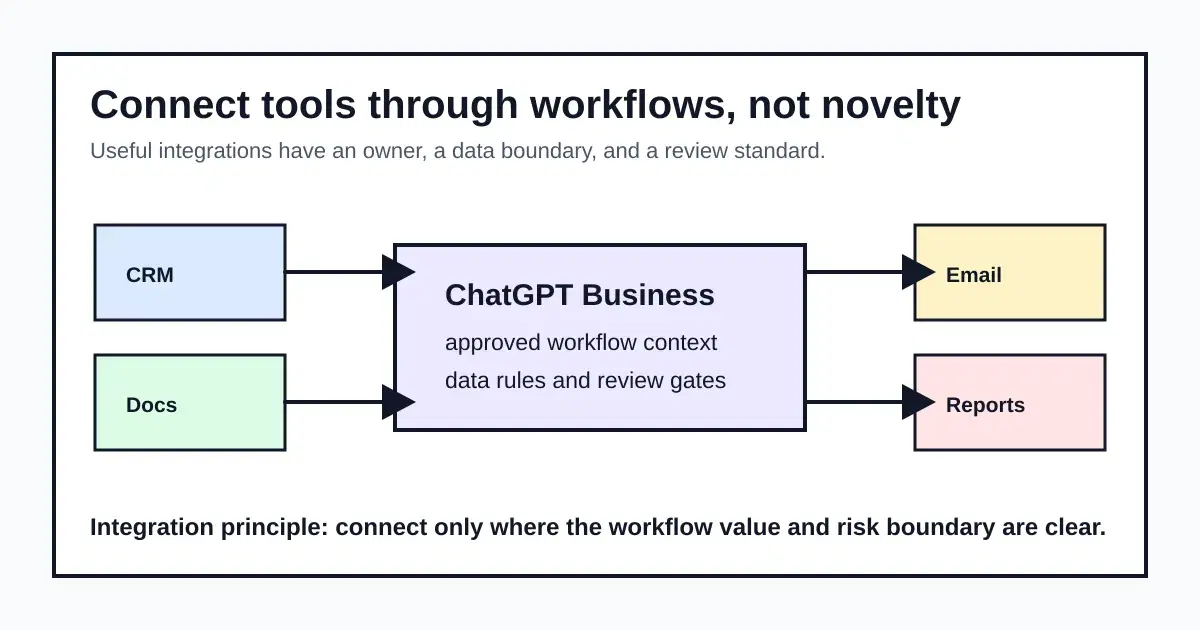
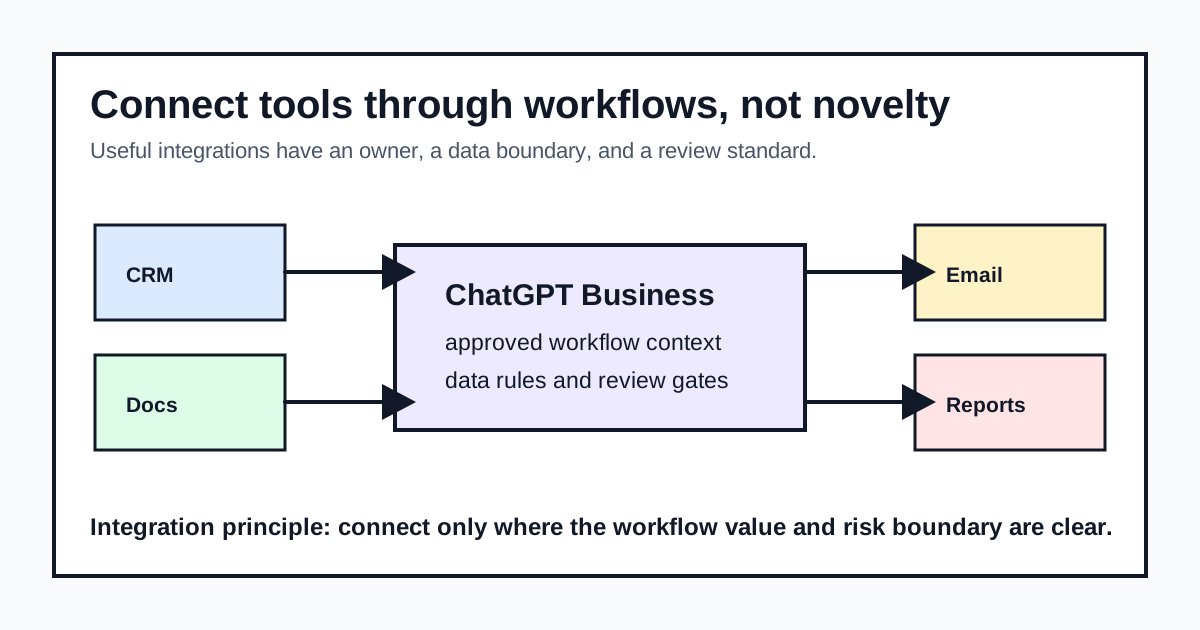
Workflow diagram linking company tools through governed ChatGPT Business connections

How do we prioritise which integrations to build first?

Start with workflow, not novelty — sales briefs, procedure drafts, and management summaries prove the pattern before you connect more systems. Modest integrations with high adoption beat ambitious connectors nobody trusts. Score each candidate on data sensitivity, review-gate complexity, and how many people would actually use it weekly, then build the highest-adoption, lowest-sensitivity option first.

How should SSO and SCIM interact with tool integrations?

Treat identity and connectors as separate control planes. ChatGPT Business already supports SAML SSO so staff authenticate through your identity provider instead of personal ChatGPT accounts; SCIM automated provisioning remains Enterprise-only. Approve each connector’s data boundary and review owner first, then decide whether manual seat management is acceptable until SCIM is a named requirement — do not delay useful, low-risk integrations solely because SCIM is not available on Business.

  • SSO (Business + Enterprise): login via identity provider; reduces personal-account shadow AI
  • SCIM (Enterprise only): auto create/remove seats on join/leave from the directory
  • Connectors: separate approval for data categories, access match, and output review gates

What data boundary questions should we ask before connecting a new source system?

Every connector decision should answer the same four questions before it goes live, not after a review flags a gap.

  • What categories of data does this source contain?
  • Who currently has access, and does that match who needs ChatGPT access?
  • Is there a human review gate before output reaches a client or regulator?
  • Who owns the decision to expand or roll back this connector?

Which named integrations do UK teams connect first?

Start with systems your pilot users already open daily — not every connector in the catalogue.

  • Microsoft 365 — SharePoint packs, Outlook thread summaries, Word/Excel draft context from approved libraries
  • Salesforce or Dynamics — account briefs, opportunity summaries, follow-up drafts (human sends)
  • Google Drive or OneDrive — procedure and handover documents with sensitivity-label rules
  • Slack or Teams — internal Q&A and shift handovers with escalation to a named owner
  • Zendesk, Freshdesk, or mail — ticket classification and draft replies inside existing queues
  • Internal wikis and SOP stores — knowledge retrieval with citation back to the authoritative page

Microsoft 365 — account brief from SharePoint and Outlook

Buyer task: prepare a client or project brief without re-reading every thread and library manually.

  • What connects: SharePoint libraries + Outlook/Teams context (native connector or custom GPT)
  • What data moves: Approved templates and metadata — not full mailbox export
  • What AI can do: Draft brief sections; human approves before client send
  • Permissions: Match ChatGPT seat access to existing M365 groups; sensitivity labels apply
  • Governance boundary: No client-facing send without named reviewer
  • Implementation: Native ChatGPT connector where available; OfficeMaker when issued Word packs are required

Salesforce or Dynamics — opportunity summary

Buyer task: turn CRM fields and notes into a structured opportunity brief for internal review.

  • What connects: CRM read scopes via approved connector or middleware
  • What data moves: Account, opportunity, and activity fields defined in the data matrix
  • What AI can do: Summarise stage, risks, and next actions — human sends externally
  • Permissions: Least-privilege CRM profile for the integration service account
  • Governance boundary: Personal CRM exports into consumer ChatGPT remain prohibited
  • Implementation: API-based connector pattern; not claimed unless scoped in discovery

Zendesk or mail — ticket draft replies

Buyer task: classify tickets and draft replies inside existing queues.

  • What connects: Helpdesk or shared mailbox with defined categories
  • What data moves: Ticket subject/body and approved macro library
  • What AI can do: Suggest classification and draft; agent approves send
  • Permissions: Role-based queue access only
  • Governance boundary: Regulated or client-identifiable content follows amber/red tier rules
  • Implementation: Custom GPT or workflow automation — pilot one queue first

Integration categories at a glance

CategoryExamplesGovernanceStarter workflow
Microsoft 365Word, Excel, Outlook, SharePoint summariesDefine which libraries and sensitivity labels are in scopeDraft management briefs from approved SharePoint packs
CRM & salesAccount notes, opportunity summaries, follow-up draftsProhibit client commitments without human sign-offPre-call account brief from CRM notes
Documents & knowledgeSOPs, handover notes, procedure updatesVersion control and named review owner before publishFirst-draft SOP from expert notes
Internal data sourcesLogs, tickets, operational reportsEscalate safety, financial, and compliance outputsShift handover summary with exception flags

Integrations without rules create new shadow AI

Teams want ChatGPT connected to CRM, email, and documents — but ungoverned connectors multiply data risk. Each connection needs a named workflow, data boundary, review owner, and escalation path before it scales beyond pilot users.

Integration readiness checklist

  • Three starter workflows identified with measurable time savings
  • Data boundaries documented per source system
  • Human review gate defined for every client- or regulator-facing output
  • Workspace owner approves connector expansion criteria

Start with workflow, not novelty

Sales briefs, procedure drafts, and management summaries prove the pattern before you connect more systems. Modest integrations with high adoption beat ambitious connectors nobody trusts.

Read tool connections guide

Partner-led connector governance

AI Build Group maps workflow priorities, data rules, and rollout sequencing so integrations support governed adoption — not disconnected experiments.

Get partner pricing

Direct answers

Quick answers

Can ChatGPT Business connect to company tools?
Yes — through approved connectors, file uploads, and custom GPTs inside a governed workspace. UK teams should start with specific workflows (CRM briefs, document summaries, handover notes) and define data boundaries, review owners, and escalation paths before connecting more systems.
How do SSO and SCIM fit ChatGPT Business integrations?
SAML SSO on ChatGPT Business ties login to your identity provider so staff stop using personal ChatGPT accounts. SCIM — available on Enterprise, not Business — automates seat create/remove from the same directory. Plan connector rollouts separately from identity: approve data boundaries for tools first, then decide whether manual member management is acceptable until SCIM is justified.
Which integrations should UK SMEs prioritise first?
Start with high-volume, low-risk workflows: sales account briefs, procedure drafts, management summaries, and internal knowledge tasks. Avoid connecting regulated or client-facing outputs until review gates and data rules are documented and tested with pilot users.
How does AI Build Group help with ChatGPT integrations?
We map workflow priorities, data boundaries, and connector governance so integrations support measurable adoption — not uncontrolled experiments. Partner rollout includes practical connection patterns for Microsoft 365, Salesforce, Dynamics, Slack, Zendesk, and internal knowledge bases.
Ready for the next step?

30-minute call — we will scope workflow priorities, data boundaries, and connector governance for your team.

Get a workflow review

Next step

Plan your ChatGPT Business integrations

30-minute call — we will scope workflow priorities, data boundaries, and connector governance for your team.

What happens next

  • We reply within one business day
  • 30-minute discovery call — no hard sell
  • Tailored recommendation for your sector and team size
  • Clear next steps whether you buy now or later
  • No obligation discovery call
  • UK-based partner support
  • Practical rollout — not slide-deck hype

Questions buyers ask

Should every company tool connect to ChatGPT Business?

No. Start with high-value workflows where the data boundary, review process, and business owner are clear. Expand when pilot metrics show safe, useful patterns.

Does ChatGPT Business need SCIM before we connect company tools?

No. SCIM is an Enterprise identity feature for automated seat provisioning; it is not a prerequisite for governed connectors on Business. Use SAML SSO where available, manage members manually if turnover is manageable, and approve each integration on its own data-boundary criteria. Move to Enterprise when SCIM offboarding becomes a named compliance or client requirement.

Can ChatGPT Business access Microsoft 365 files?

Business workspaces support approved file and connector patterns. Confirm your data handling requirements, retention needs, and review gates before enabling document context at scale.

Who approves new integrations?

Typically the workspace owner with input from IT and the workflow sponsor. Document approved sources, prohibited data types, and escalation paths in your AI use policy.

How does AI Build help with integrations?

We prioritise workflows, define data boundaries, and supply review templates so connector rollouts stay explainable to leadership, clients, and regulators.

Do integrations increase our data risk compared to using ChatGPT Business without them?

Any new connection is a new data boundary to manage — integrations are not risk-free just because the licence is governed. That is exactly why each one needs a documented data boundary and review owner before it goes live, not after.

How many integrations should we run before wider rollout?

Most UK teams start with two or three well-used workflows rather than connecting every available system. Prove adoption and safe usage on a small set before expanding — connector sprawl with low usage is harder to govern than a handful of workflows everyone actually relies on.

Why choose AI Build over buying direct from OpenAI?

  • UK OpenAI SMB Channel Partner — verified partner pricing and discount codes
  • Two hours complimentary remote setup on qualifying purchases
  • Governance, adoption, and rollout support from the same UK team
  • Sector-specific examples and measured outcomes from client deployments
Get a workflow review