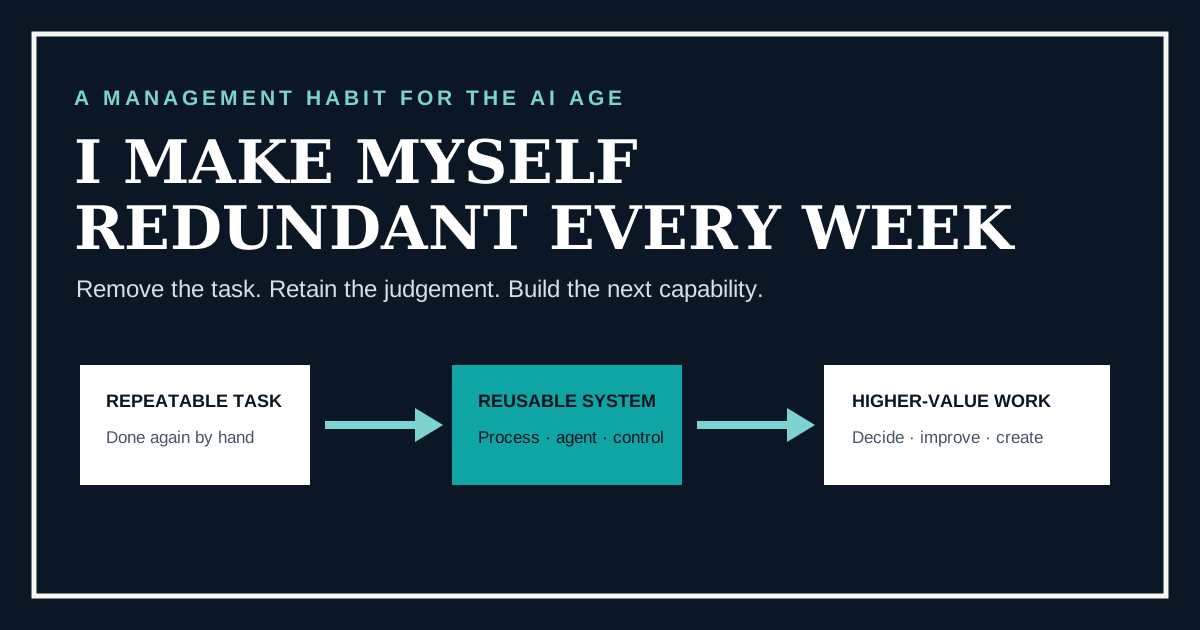
When I say “I make myself redundant every week,” I do not mean eliminating my role. I mean identifying one recurring task that depends on me, converting it into a documented or AI-supported workflow, preserving the right human review, and reinvesting the released capacity in the next higher-value problem. The task becomes redundant—not the person.
This is my practical AI workflow automation strategy. It turns AI adoption from an occasional transformation project into a weekly management habit. The goal is not to automate for its own sake. The goal is to reduce avoidable dependence, make good work repeatable and increase the organisation’s capacity to solve harder problems.
What is AI workflow automation?
AI workflow automation uses artificial intelligence inside a repeatable business process to interpret information, prepare outputs, recommend actions or perform bounded steps. Unlike a one-off prompt, a workflow defines its trigger, inputs, instructions, output, owner, permissions, review point, exception route and success measure.
That definition is important. If I paste an email into an assistant and ask for a summary, I have used AI. If incoming emails are classified against agreed criteria, relevant context is retrieved, a response is prepared, unusual cases are escalated and quality is measured, the business has an AI-supported workflow.
Why make this a weekly habit?
Large automation programmes can spend months identifying perfect use cases while small points of friction continue every day. A weekly rhythm creates a bias towards evidence. Each cycle teaches us something about process clarity, data access, instructions, exceptions, user trust and measurement. Those lessons compound.
The habit also changes the leadership signal. Repetitive work stops being treated as proof that someone is busy or indispensable. People are rewarded for making knowledge transferable, improving the system and using their judgement where it has greater value.
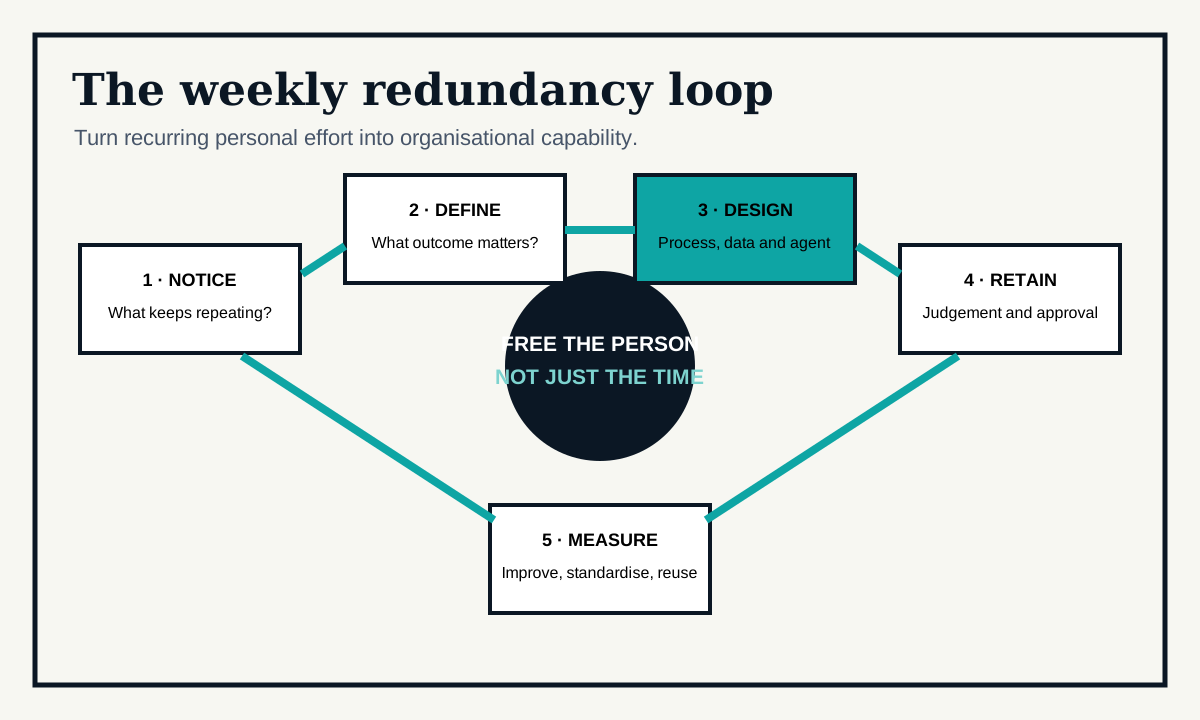
The five-step weekly redundancy loop
1. Notice the recurring dependence
I look for a task that repeats, creates a queue or requires the same information to be assembled again. Useful signals include copied-and-pasted data, recurring document preparation, repeated searches, status-chasing and work that stalls whenever one person is unavailable.
2. Define the outcome and the baseline
Before touching a model, I define what good looks like. What triggers the work? Which sources are authoritative? What must the output contain? Who uses it? How long does it take now? Where does rework occur? A vague task produces a vague automation.
3. Design the smallest useful workflow
The first version should solve one bounded problem. It might retrieve source material, extract structured fields, prepare a first draft or compare a document with a checklist. It does not need to handle every theoretical exception. It needs to deliver useful evidence safely.
4. Retain judgement, ownership and an escape route
I identify what a person must still see, challenge, approve or stop. High-consequence decisions need stronger review and evidence. The workflow also needs an owner and a clear route for cases it cannot handle. “Human in the loop” only means something when the human has real information and authority.
5. Measure the result and reinvest the capacity
I compare the new workflow with the baseline: cycle time, effort, quality, rework, risk or customer response. Review time counts. Corrections count. If the workflow works, the released capacity is assigned deliberately—to customer conversations, improvement, design, coaching or the next recurring dependency.
Which tasks are good candidates for AI task automation?
- Frequent tasks with a clear trigger and outcome.
- Information-heavy work such as searching, extracting, comparing, classifying or summarising.
- Repeatable document preparation using trusted source material.
- First-pass analysis where a person makes the final decision.
- Monitoring work where exceptions can be escalated.
- Coordination tasks that currently depend on copying information between systems.
Poor first candidates include rare activities, politically disputed processes, unstable source data and decisions where the consequence of error is high but governance is immature. Sometimes the right first move is to simplify or standardise the process, not automate it.
What usually goes wrong?
- Automating the visible step but not the whole flow: the apparent time saving reappears as manual checking or re-entry elsewhere.
- Ignoring source quality: confident output cannot repair missing, contradictory or unauthorised information.
- Starting too broadly: an all-purpose agent is harder to control and evaluate than a bounded workflow.
- Hiding the change from users: people route around a system they do not trust or understand.
- Counting gross time saved: a credible measure includes review, corrections, support and exceptions.
A leadership rule: automate the task, develop the person
If automation only removes work, people will protect the work. If it creates a visible route to more valuable contribution, people are more likely to improve the system. Leaders should agree where released capacity goes and what new skills, authority or opportunities become available.
This is how a weekly habit becomes an operating model. Read What Is an AI-Embedded Company? for the organisational context, then continue to How AI Moves Employees Up the Value Chain for the role-design implications.
Find the next workflow with an AI maturity baseline
The AI Maturity Assessment examines whether strategy, skills, processes, governance, improvement and transformation are developing together. It gives leaders a prioritised route from isolated automation to repeatable organisational capability. The same weekly habit is how we turned a personal job-search workflow into a live product — see How We Built Job Matches.